
Mockplus2.0.9.10 - Download
You'll be able to download in few seconds.
Publisher Description
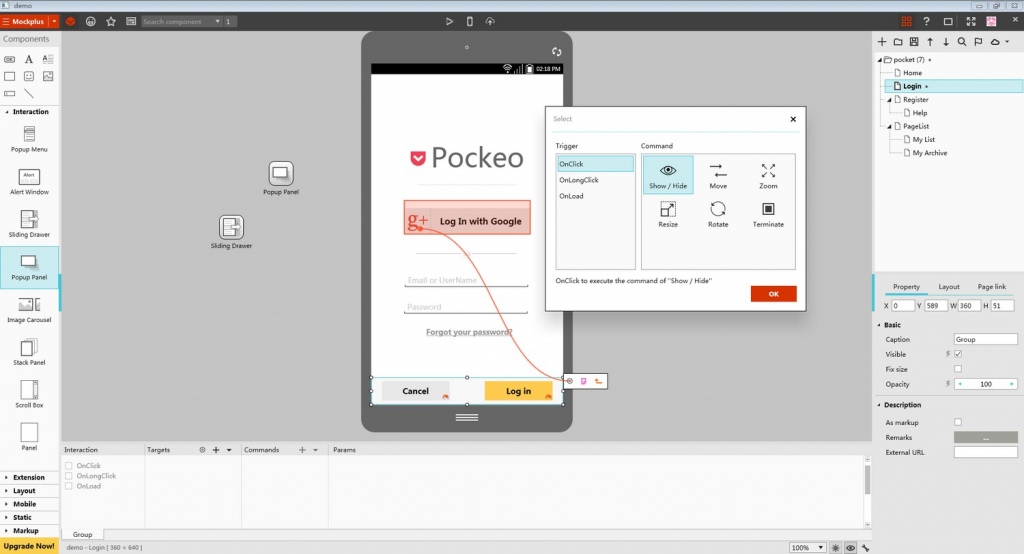
Mockplus is a simple, code-free, easy-to-learn and use prototype design tool that allows the user to totally focus on the design instead of spending time on learning the design tools.
Mockplus can be of great help for software development companies and teams for prototype building. It helps companies in the following ways:
Mockplus offers easy and quick component-based design which can be done by simply drag-and-drop, no programming background or additional learning process required, saving you a lot of learning time and learning cost. Mockplus currently offers built-in drag-and-drop components, and will add advanced interactive components soon.
Pages and components may be cloned in a single-click. Simplified Mockplus export options allow designs to be quickly sent to images or HTML. Productivity is further enhanced by an easy-access page and component libraries.
Mockplus Group feature: combine components to create a customized component, which can be further edited, ungrouped or nested again.
The Sketch Style feature preserves design sketch quality. The hand-drawn styled components keep all lines and control exactly as they are drawn.
The All-in-One tool (included in the Free Trial) makes it easy to create prototypes for any mobile, desktop, and web apps.
About Mockplus
This Help Tools program is available in English, Chinese. It was last updated on 29 September, 2026. Mockplus is compatible with the following operating systems: Mac, Windows.
The company that develops Mockplus is Jongde Software Inc.. The latest version released by its developer is 2.0.9.10.
The download we have available for Mockplus has a file size of 13.6 MB. Just click the green Download button above to start the downloading process. The program is listed on our website since 2015-10-14 and was downloaded 0 times. We have already checked if the download link is safe, however for your own protection we recommend that you scan the downloaded software with your antivirus. Your antivirus may detect the Mockplus as malware if the download link is broken.
How to install Mockplus on your Windows device:
- Click on the Download button on our website. This will start the download from the website of the developer.
- Once the Mockplus is downloaded click on it to start the setup process (assuming you are on a desktop computer).
- When the installation is finished you should be able to see and run the program.
Program Details
System requirements
Download information
Pricing
Version History
version 2.0.9.10
posted on 2015-10-14
http://www.mockplus.com/skill
Disclaimer
External Download
We do not host Mockplus on our servers. We did not scan it for viruses, adware, spyware or other type of malware. This app is hosted by the software publisher and passed their terms and conditions to be listed there. We recommend caution when installing it.
The external download link for Mockplus is provided to you by apps112.com without any warranties, representations or guarantees of any kind, so access it at your own risk.
If you have questions regarding this particular app contact the publisher directly. For questions about the functionalities of apps112.com contact us.
